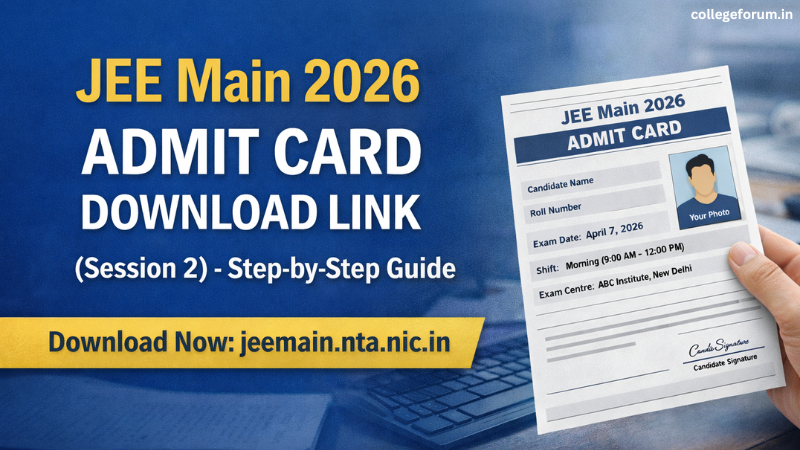
The release of the JEE Main 2026 Admit Card for Session 2 has brought a mix of excitement and nervousness for lakhs of students across the country. As the April session exams approach, downloading the admit card becomes one of the most important steps in your exam preparation journey.
If you are appearing for JEE Main 2026, this guide will help you understand how to download your admit card easily, what details you need, and what to check after downloading it.
JEE Main 2026 Admit Card: Overview
The admit card for the April session has been released on the official website of NTA. It is a mandatory document that allows you to enter the examination hall.
Here is a quick overview:
| Particulars | Details |
|---|---|
| Exam Name | JEE Main 2026 |
| Session | Session 2 (April) |
| Conducting Body | National Testing Agency (NTA) |
| Admit Card Status | Released |
| Official Website | jeemain.nta.nic.in |
Direct Link to Download JEE Main 2026 Admit Card
Candidates can download their admit card from the official website| Admit Card : Download link Url |
Details Required to Download Admit Card
Before you start the process, make sure you have the following details ready:
- Application Number
- Password
- Date of Birth
Without these, you will not be able to log in and download your hall ticket.
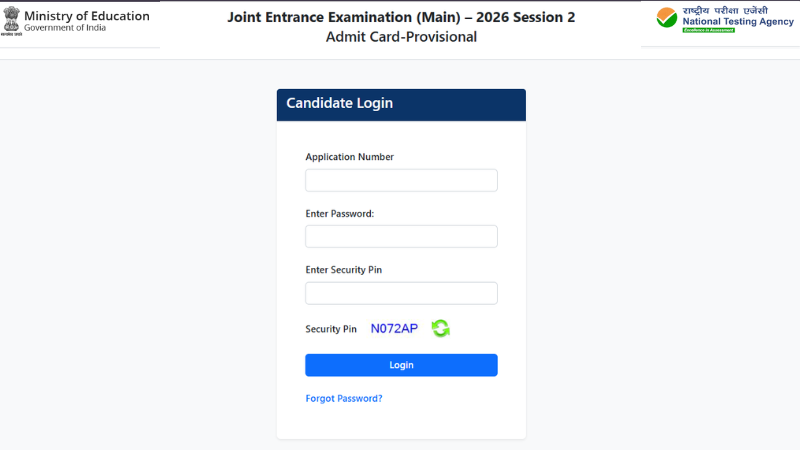
Step-by-Step Guide to Download JEE Main 2026 Admit Card
Follow these simple steps to download your admit card without any confusion:
Step 1: Visit the Official Website
Go to the official website: jeemain.nta.nic.in
Step 2: Click on Admit Card Link
On the homepage, find and click on the link that says
“JEE Main 2026 Session 2 Admit Card”
Step 3: Enter Login Credentials
Enter your application number and password/date of birth carefully.
Step 4: Submit Details
Click on the submit button to proceed.
Step 5: Download Admit Card
Your admit card will appear on the screen. Download it immediately.
Step 6: Take Printout
Take at least 2–3 printouts for safety and future use.
Important Details to Check After Downloading
Downloading the admit card is not enough. You must carefully verify all the details mentioned on it:
- Your Name (correct spelling)
- Roll Number
- Application Number
- Exam Date
- Shift Timing
- Reporting Time
- Exam Centre Address
- Photograph and Signature
If you find any mistake, contact NTA immediately for correction.
Common Problems While Downloading Admit Card
Many students face issues while downloading their admit card. Here are some common problems and solutions:
1. Forgot Password
Use the “Forgot Password” option on the login page to reset it.
2. Website Not Loading
Due to heavy traffic, the website may slow down. Try again after some time, preferably during non-peak hours.
3. Incorrect Login Details
Double-check your application number and password before submitting.
Why JEE Main Admit Card is So Important
The admit card is not just a document—it is your entry pass to the examination hall. Without it, you will not be allowed to appear for the exam.
It also contains:
- Your exam centre details
- Your exam timing
- Important instructions
This makes it one of the most crucial documents for JEE Main 2026.
Documents to Carry Along with Admit Card
On the exam day, you must carry:
- Printed Admit Card
- Valid Photo ID Proof (Aadhaar, PAN, Passport, etc.)
- Passport-size Photograph
Make sure all documents are ready one day before the exam to avoid last-minute stress.
Tips for a Smooth Admit Card Download Process
To make your experience hassle-free:
- Keep your login details ready in advance
- Use a stable internet connection
- Download during early morning or late night (less traffic)
- Save a PDF copy on your phone or email
- Print multiple copies
Final Words
Downloading the JEE Main 2026 Session 2 admit card is a simple process, but it requires attention and care. A small mistake in checking details or delay in downloading can create unnecessary stress.
Make sure you download your admit card early, verify all details, and keep everything ready for exam day. With proper planning and calmness, you can focus completely on your performance.
Stay confident and give your best in the exam.
|
Also Read: |